

Accessible summary
What this session covers
This foundational session explains how to use Microsoft Copilot to understand information, create a reviewable first draft and find existing work. It focuses on choosing the right Copilot experience, prompting with relevant context, checking sources and moving from an AI response to a human-owned action.
- starting with the job Copilot needs to support
- choosing between Copilot Chat and in-app Copilot
- building prompts from a goal, context, source and format
- using follow-up prompts to refine the same task
- summarising, comparing and extracting information
- creating and transforming content without losing important meaning
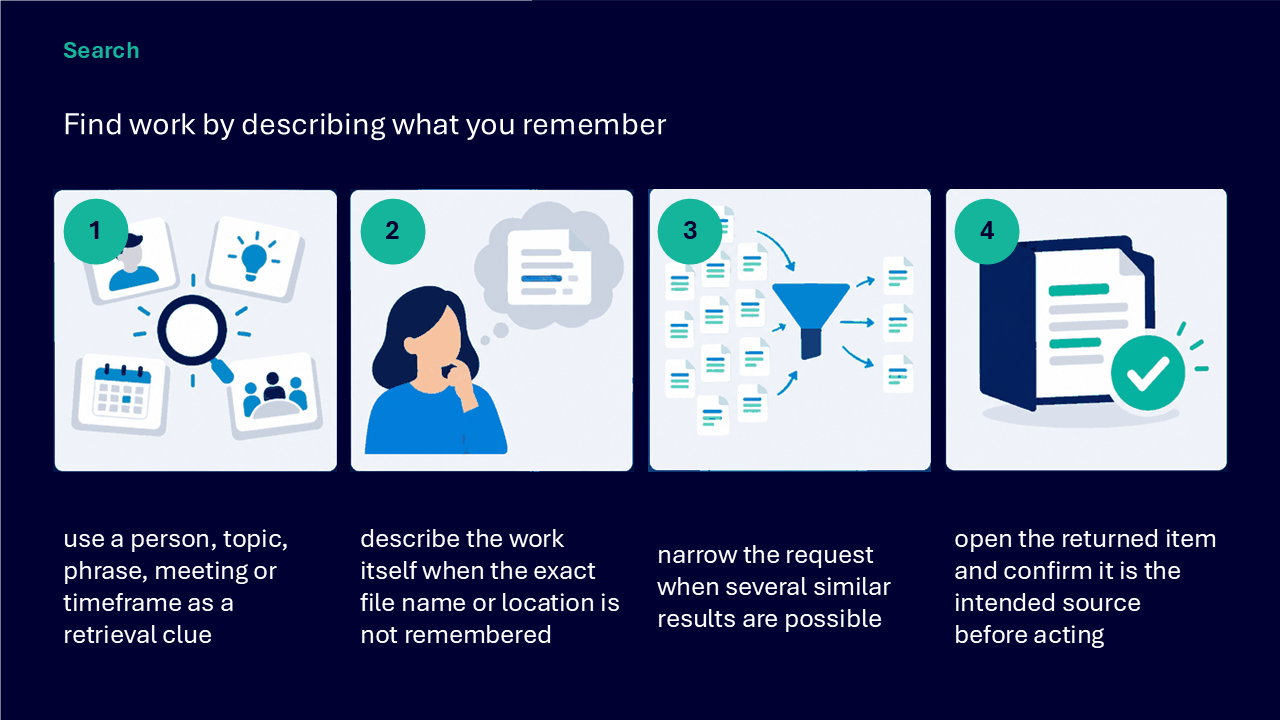
- finding work from remembered clues
- checking sources, accuracy, context, audience and privacy
- keeping a person accountable for the final decision or action
Making the session work for you
The session is delivered through a Microsoft Teams webinar using PowerPoint Live. You can personalise how you follow and take part. The session is recorded, and you can watch rather than follow along unless the trainer asks you to try something.
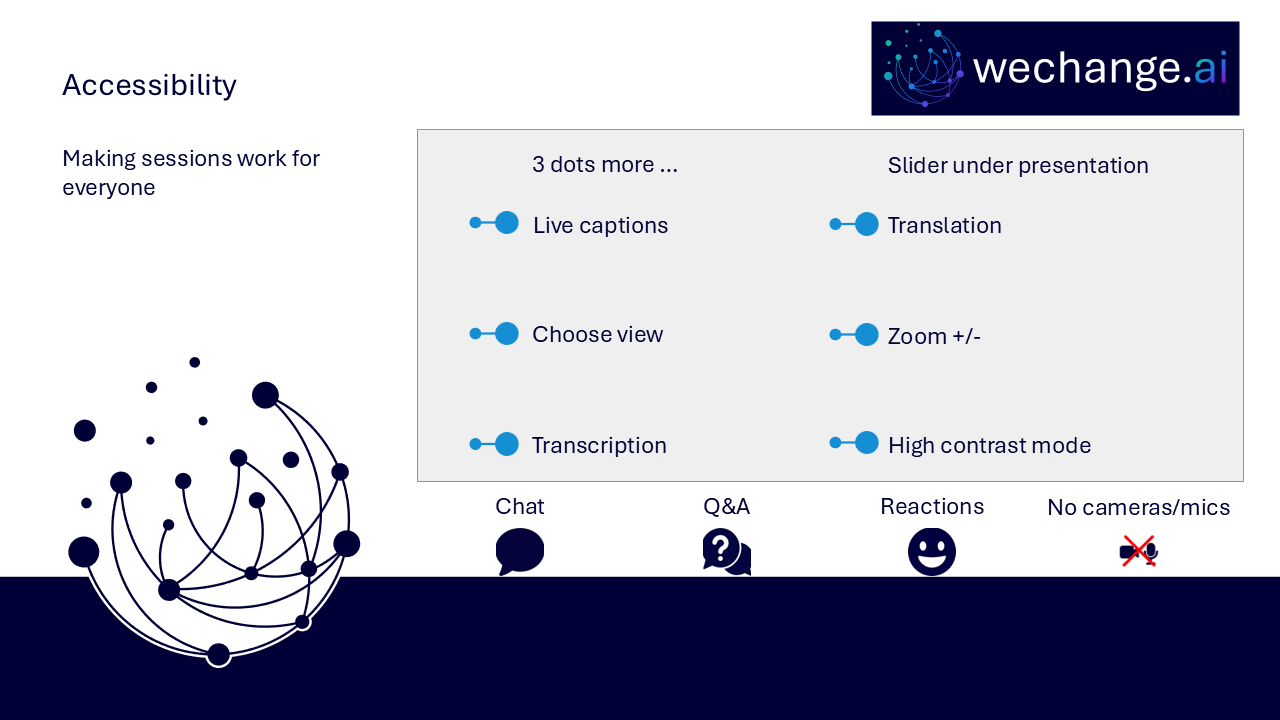
- use live captions or translation from the three-dots menu
- choose a view that gives you the clearest layout
- use the presentation slider to zoom in or out
- keep your camera and microphone off unless you are invited to use them
- use Q&A for questions and keep chat closed when you are not typing
- use reactions or another participation route if that works better for you
- share respectful feedback and use the key links provided in chat
Everyone can build confidence
These sessions are for everyone, whatever your starting point. The aim is to use Copilot for a small, defined task and keep the result reviewable rather than rely on a fluent response without checking it.
Navigator and WeChange.AI
Navigator is a personalised platform for WeChange.AI customers. It helps you find Microsoft 365 tools, resources and upcoming sessions relevant to your role.
WeChange.AI supports public and third sector organisations to use technology with confidence, purpose and impact. The focus is practical, people-centred change in day-to-day work.
Key concepts
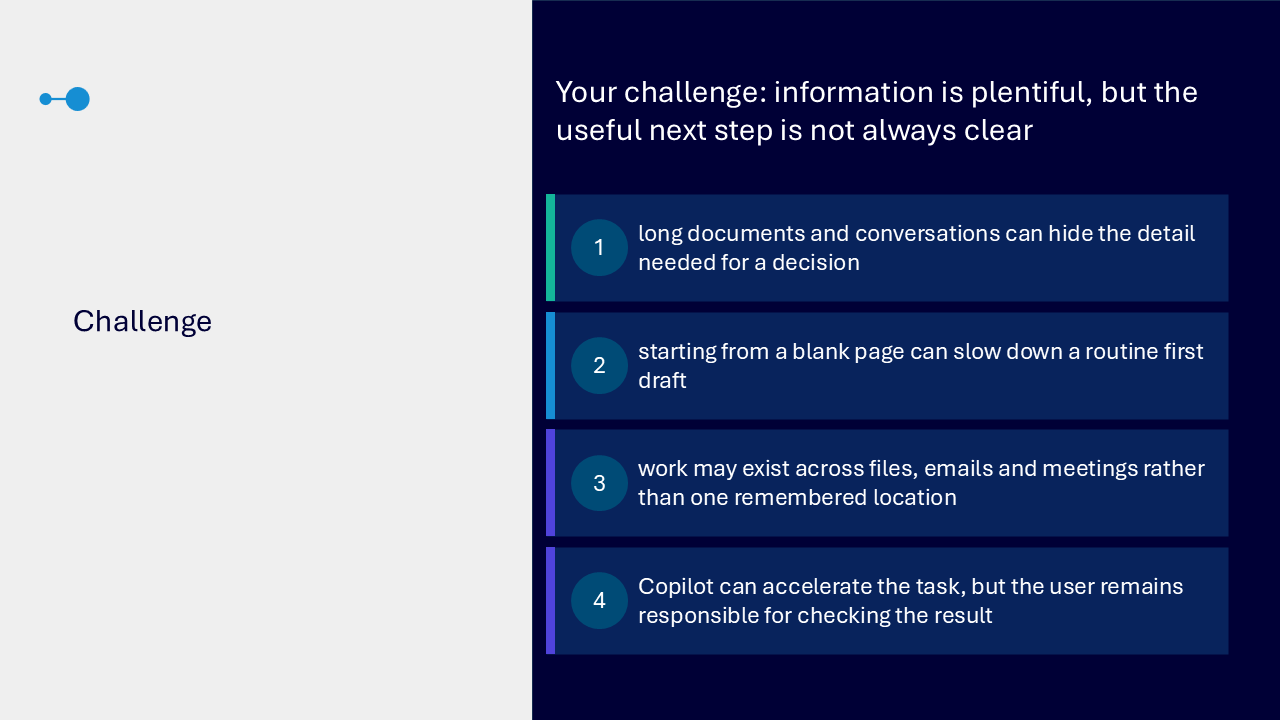
The challenge
The challenge visual brings together four needs. Long documents or conversations can hide important detail. Starting from a blank page can delay a routine first draft. Existing work may be spread across files, emails and meetings. Copilot can accelerate the task, but the user remains responsible for checking the result.
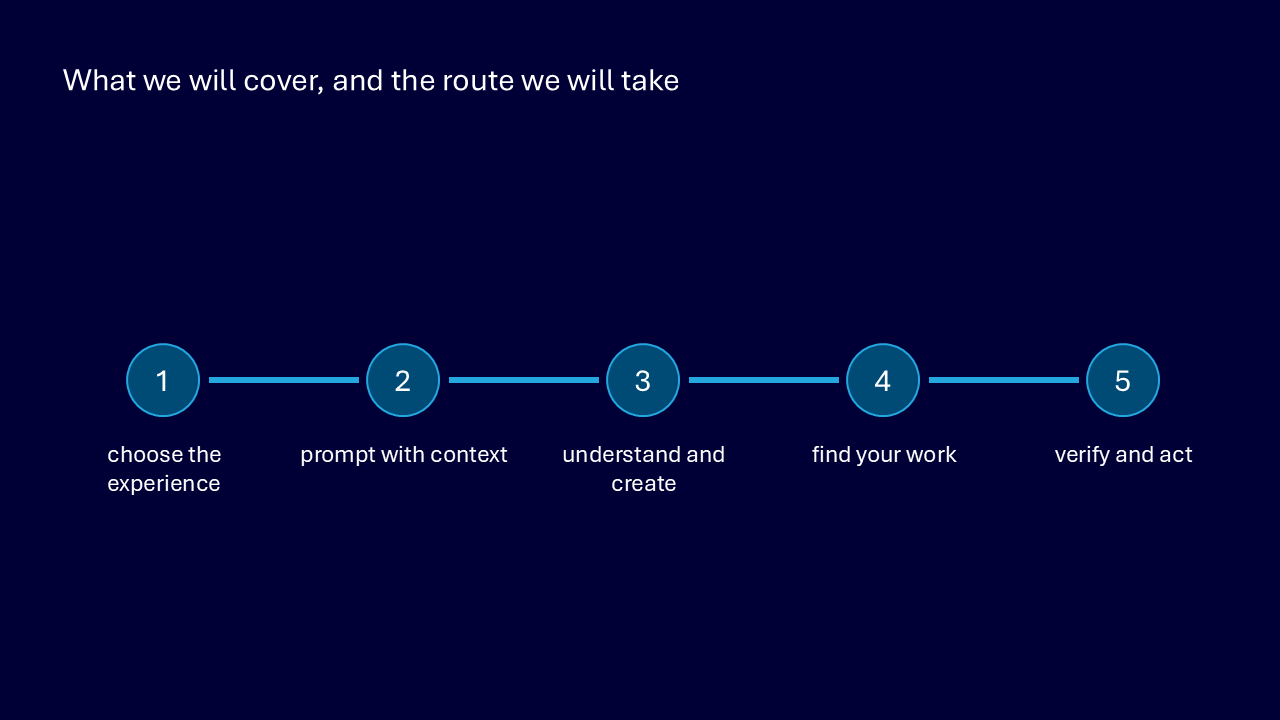
Your route through the session
- choose the experience
- prompt with context
- understand and create
- find your work
- verify and act
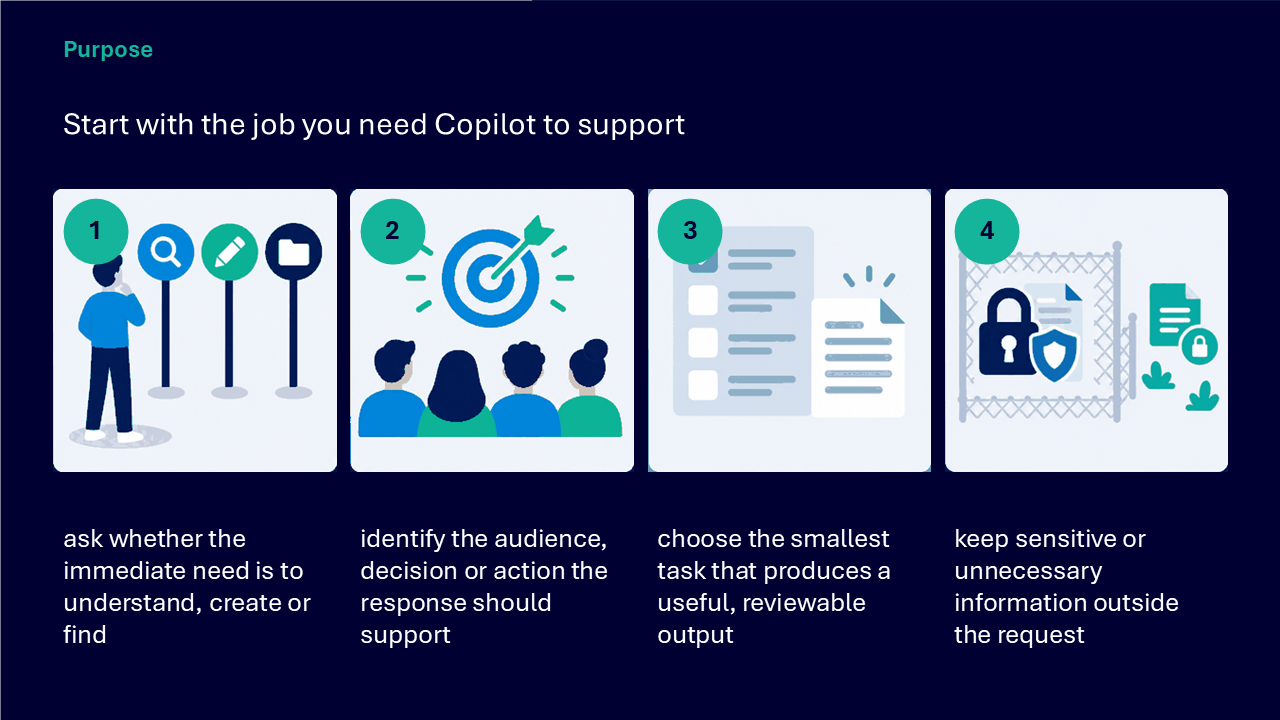
Start with the job Copilot should support
- decide whether the immediate need is to understand, create or find
- identify the audience, decision or action the response should support
- choose the smallest task that produces a useful, reviewable output
- keep sensitive or unnecessary information outside the request
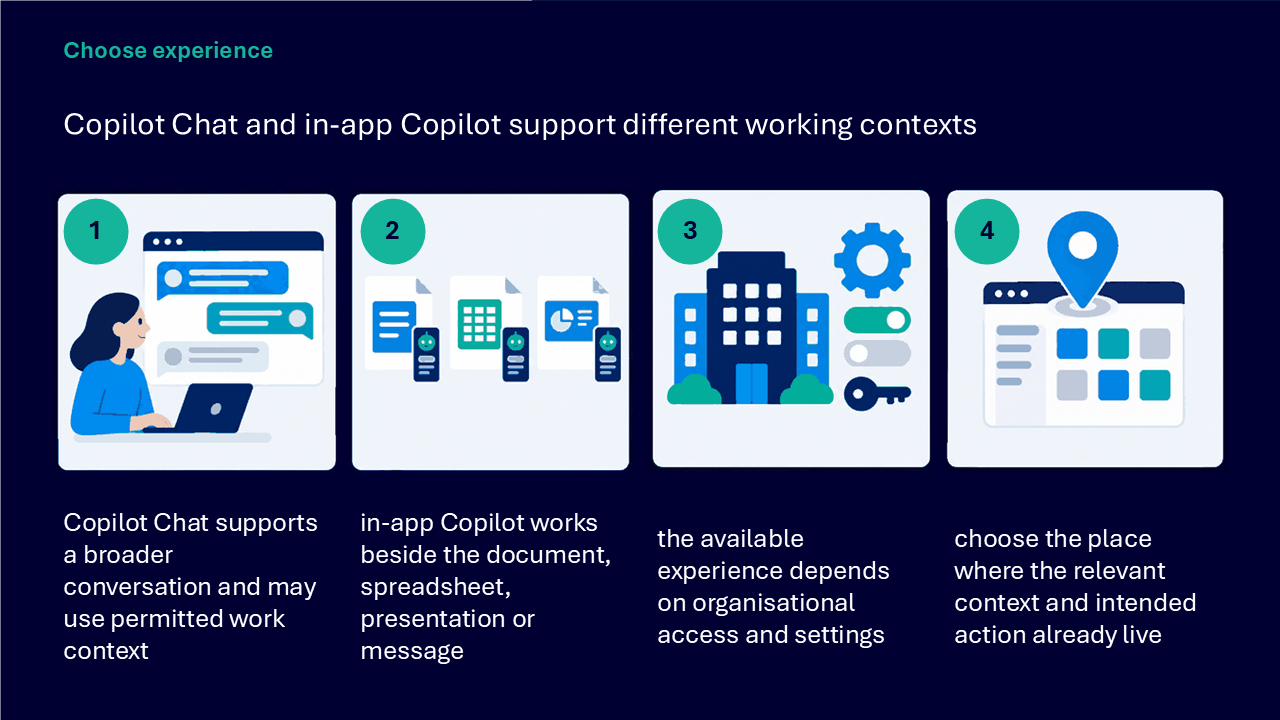
Choose the Copilot experience
use Copilot Chat for a broader conversation that may use uploaded work context
use Copilot Create to draft or transform content, and Copilot Search to find relevant files, messages, meetings or other work
- recognise that available experiences depend on organisational access and settings
- work where the relevant context and intended action already live
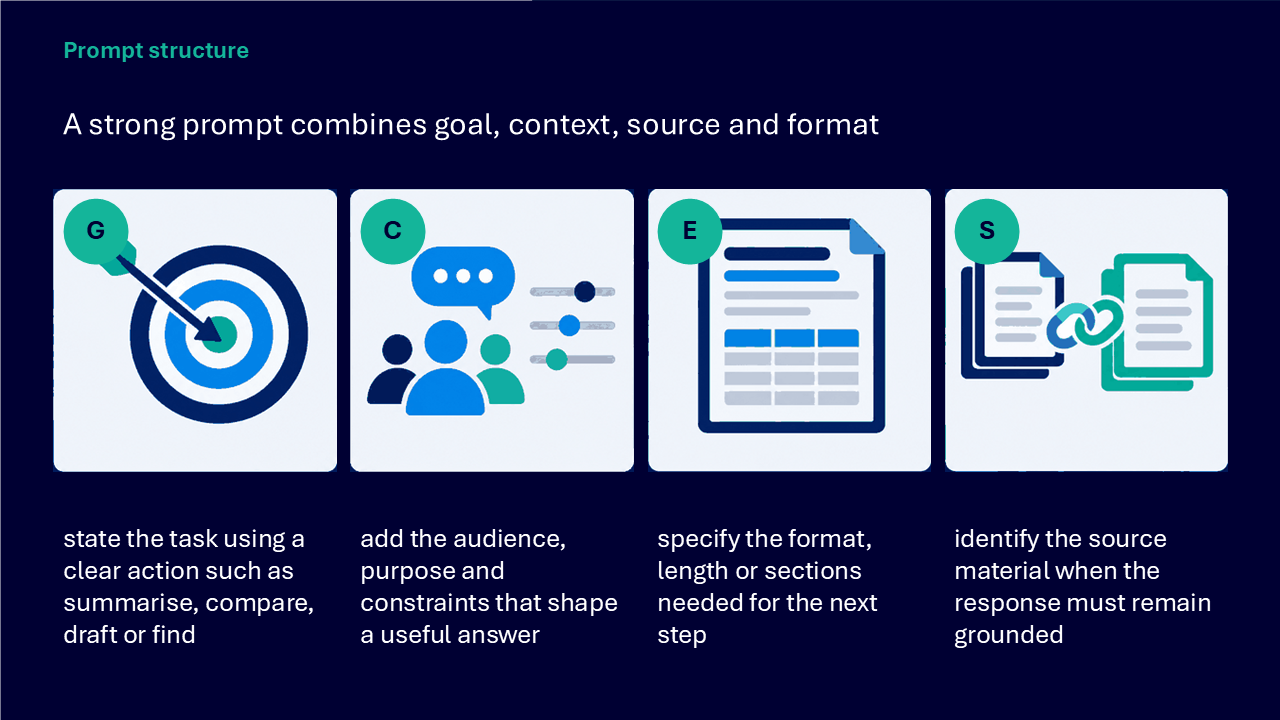
Build a strong prompt
The prompt structure visual combines four elements.
- goal: state a clear action such as summarise, compare, draft or find
- context: add the audience, purpose and constraints
- source: identify the material the response must remain grounded in
- format: specify the length, structure or sections needed for the next step
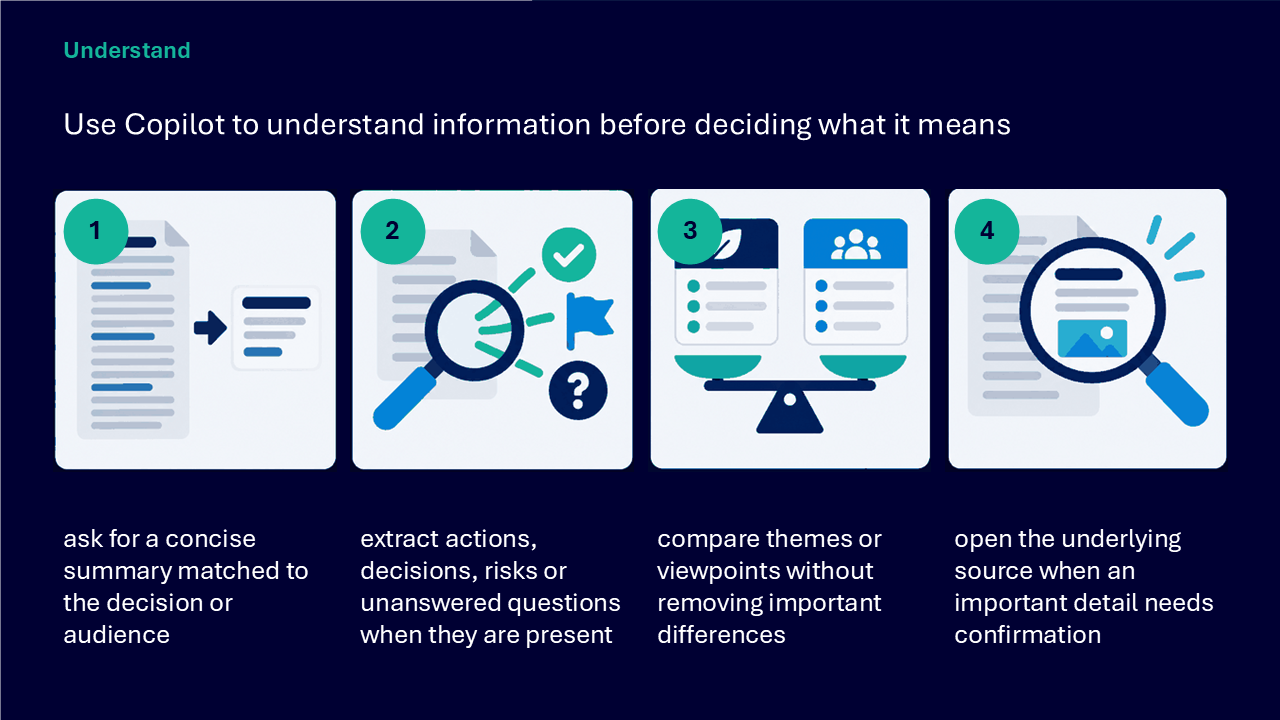
Use Copilot to understand information
- ask for a concise summary matched to the decision or audience
- extract actions, decisions, risks or unanswered questions when they are present
- compare themes or viewpoints without removing important differences
- open the underlying source when an important detail needs confirmation
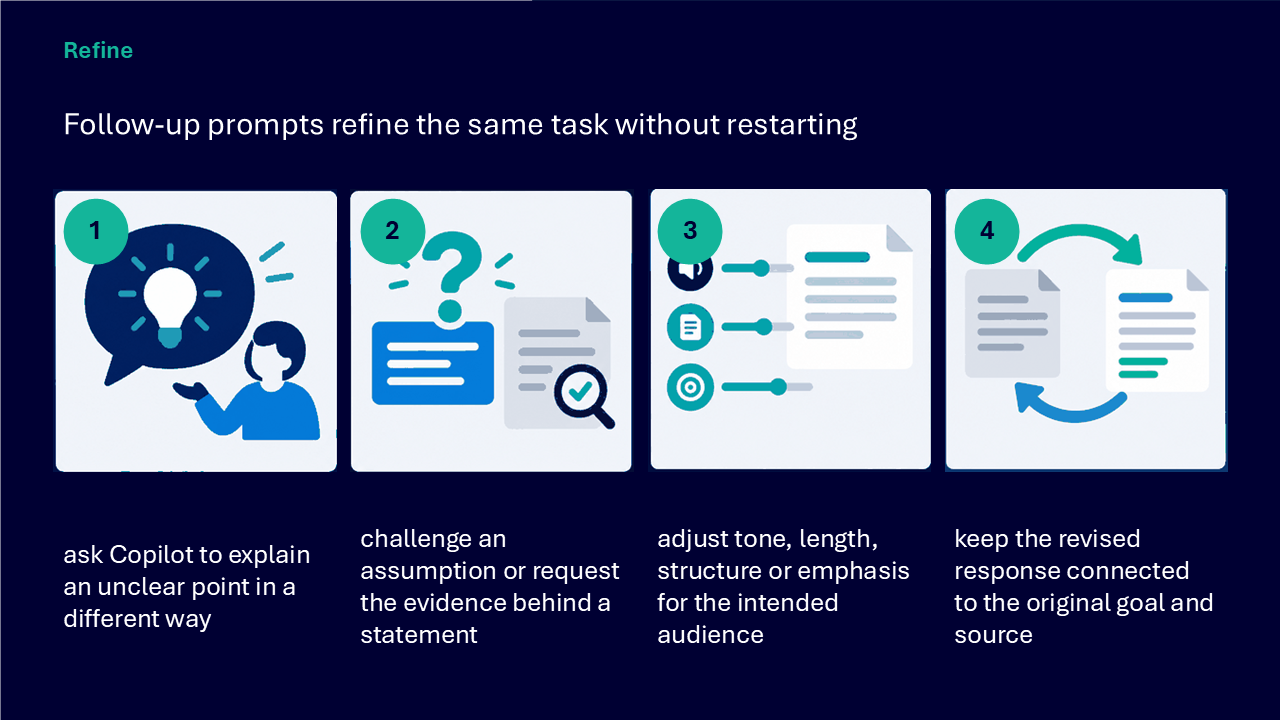
Refine with follow-up prompts
- ask for an unclear point to be explained another way
- challenge an assumption or request the evidence behind a statement
- adjust tone, length, structure or emphasis for the intended audience
- keep the revision connected to the original goal and source
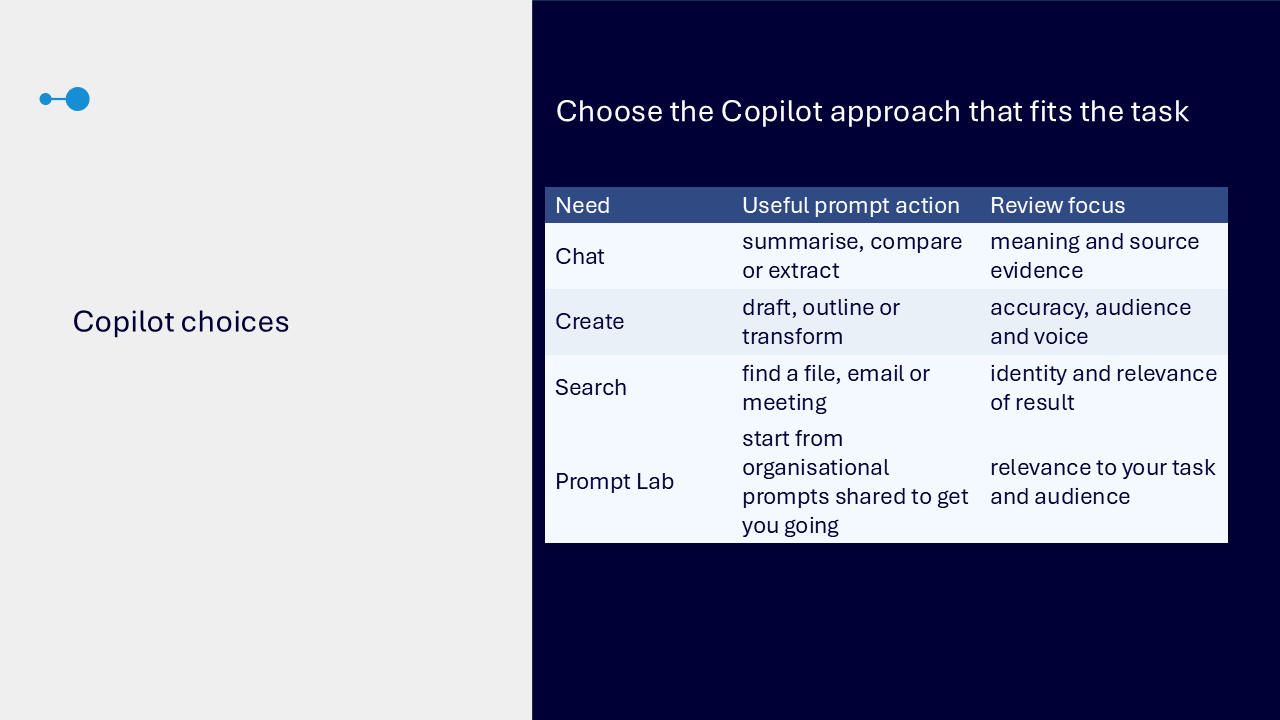
Choose the approach by task
The comparison visual links each need to a prompt action and review focus.
- Chat: summarise, compare or extract, then review meaning and source evidence
- Create: draft, outline or transform, then review accuracy, audience and voice
- Search: find a file, email or meeting, then confirm the identity and relevance of the result
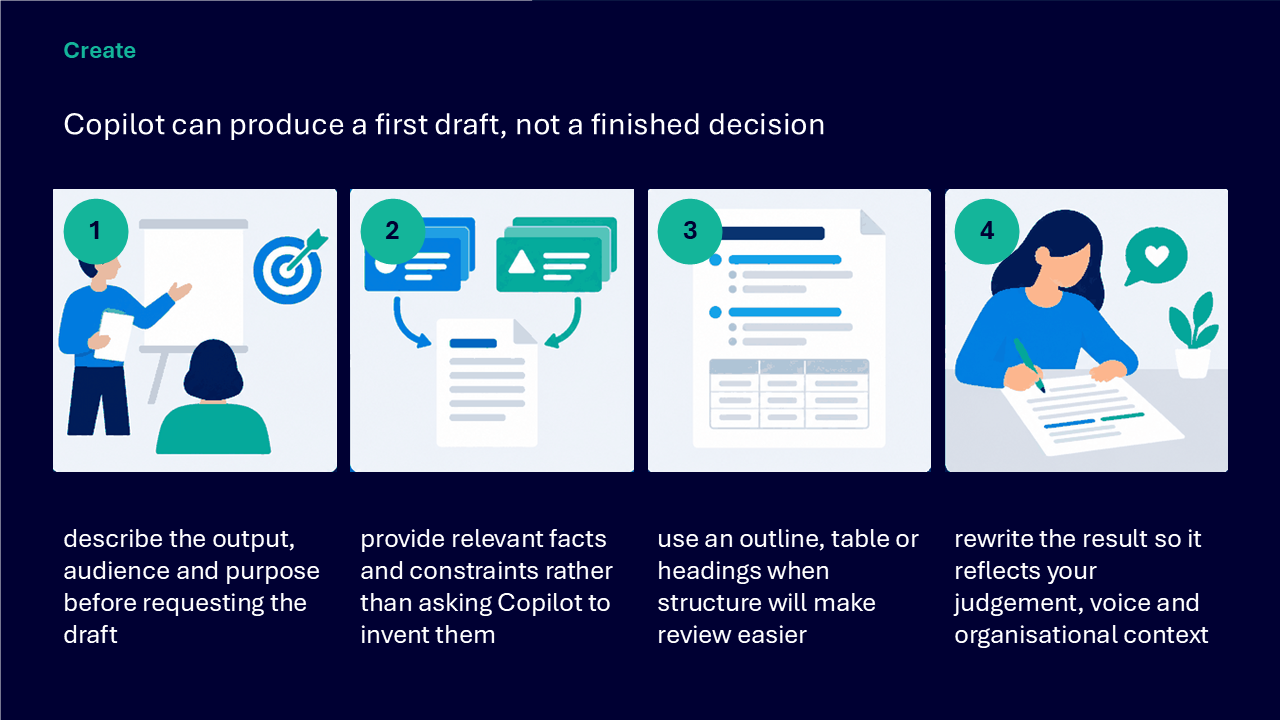
Create a first draft, not a finished decision
- describe the output, audience and purpose before requesting the draft
- provide relevant facts and constraints rather than asking Copilot to invent them
- use an outline, table or headings when structure makes review easier
- rewrite the result using your judgement, voice and organisational context
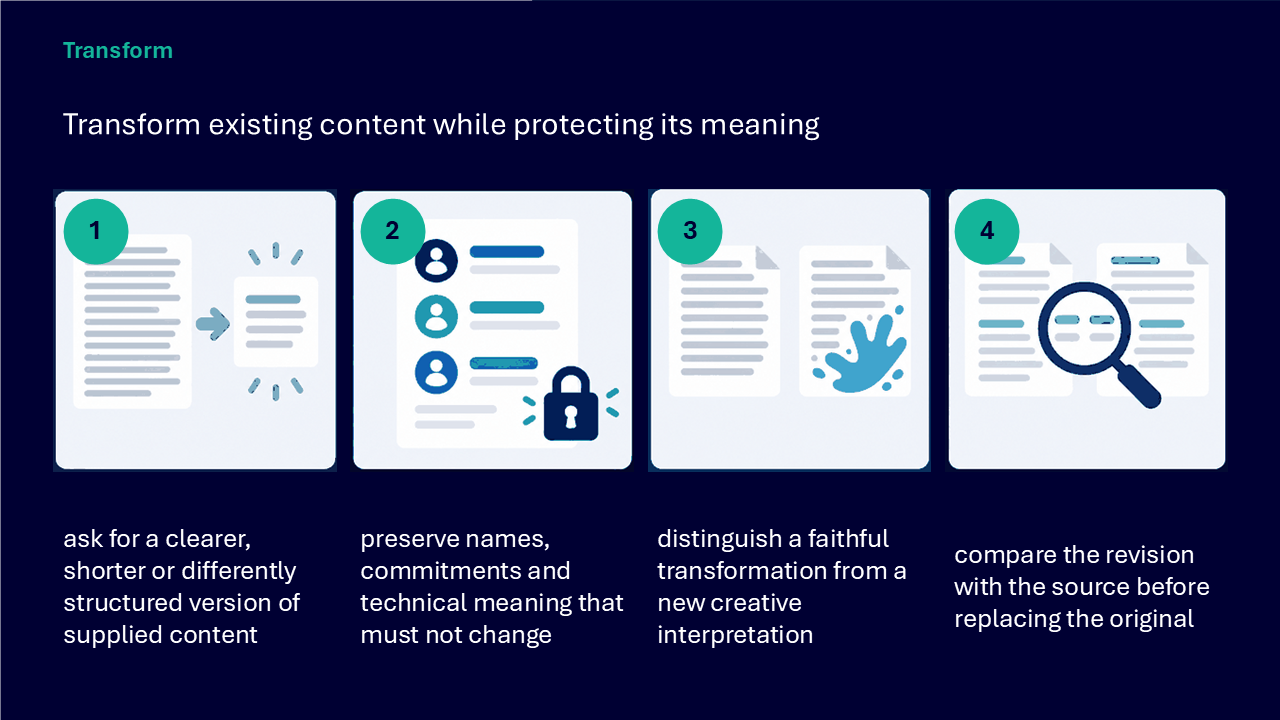
Transform existing content carefully
- ask for a clearer, shorter or differently structured version of supplied content
- preserve names, commitments and technical meaning that must not change
- distinguish a faithful transformation from a new creative interpretation
- compare the revision with the source before replacing the original
Find work from remembered clues
- use a person, topic, phrase, meeting or timeframe as a retrieval clue
- describe the work when the exact file name or location is not remembered
- narrow the request when several similar results are possible
- open the returned item and confirm it is the intended source before acting
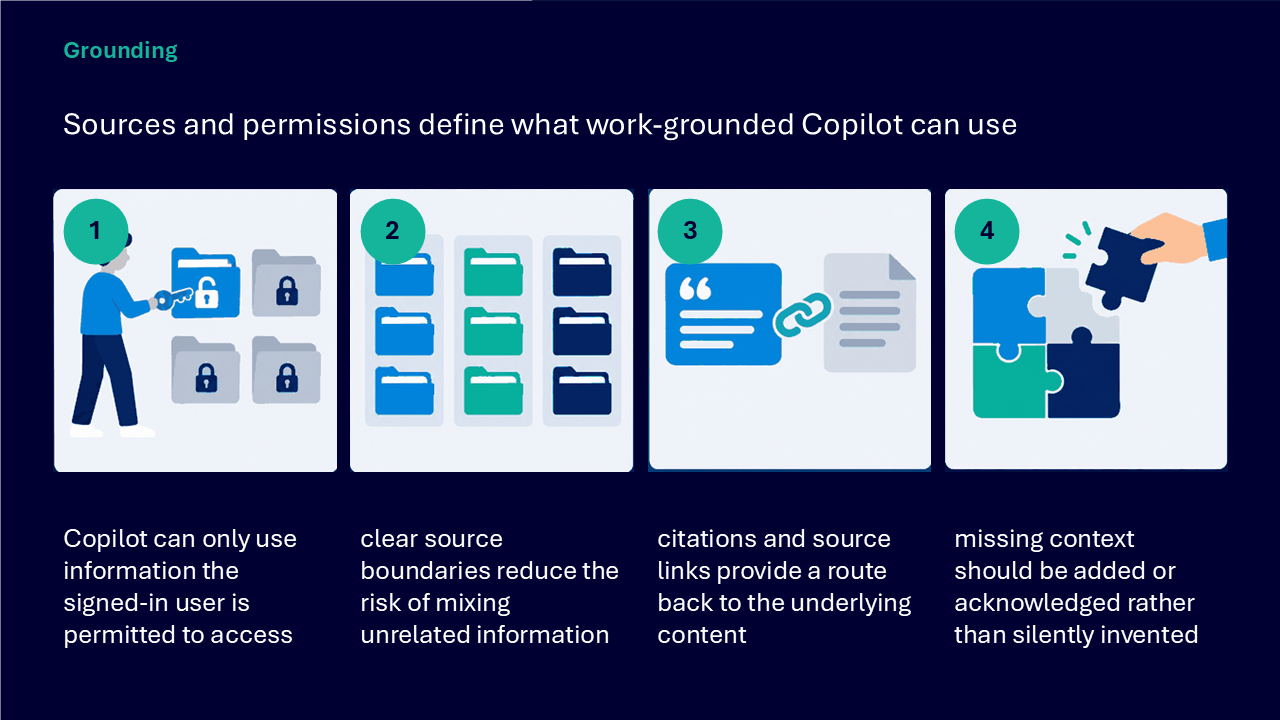
Understand grounding and permissions
- work-grounded Copilot can use information the signed-in user is permitted to access
- clear source boundaries reduce the risk of mixing unrelated information
- citations and source links provide a route back to the underlying content
- add or acknowledge missing context rather than silently inventing it
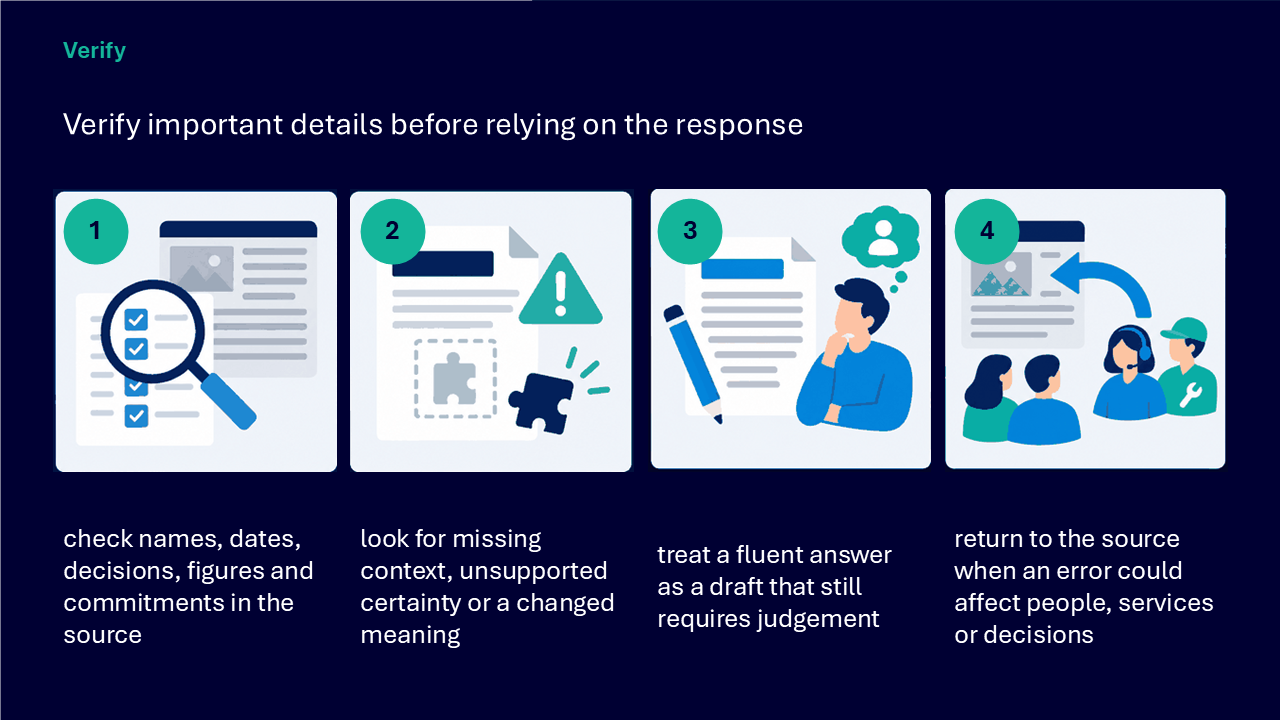
Verify important details
- check names, dates, decisions, figures and commitments in the source
- look for missing context, unsupported certainty or changed meaning
- treat a fluent answer as a draft that still requires judgement
- return to the source when an error could affect people, services or decisions
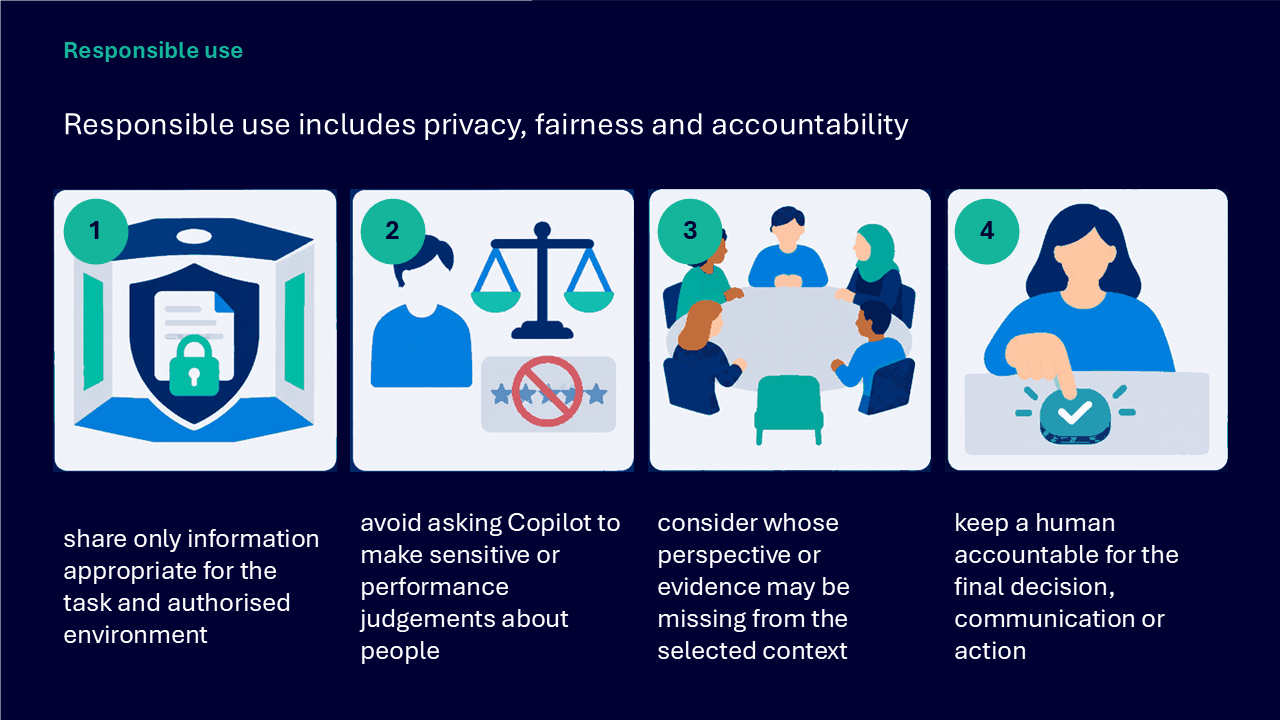
Use Copilot responsibly
- share only information appropriate for the task and authorised environment
- do not ask Copilot to make sensitive or performance judgements about people
- consider whose perspective or evidence may be missing
- keep a person accountable for the final decision, communication or action
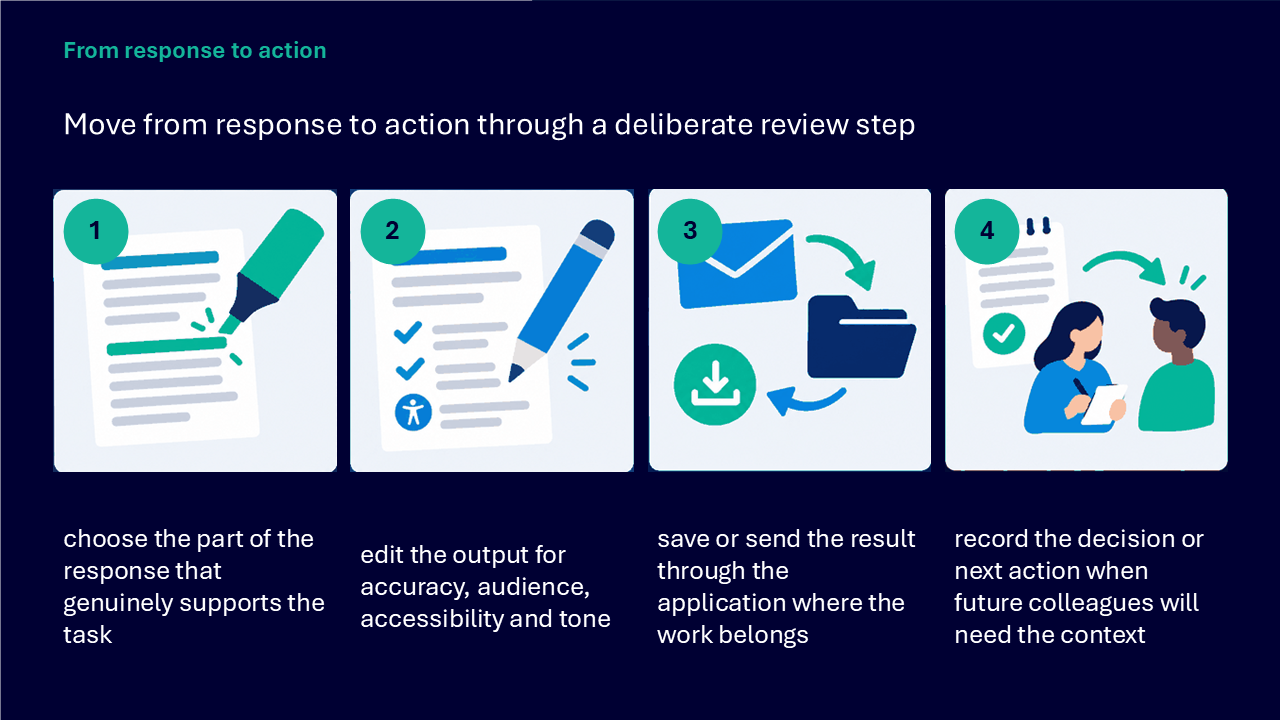
Move from response to action
- choose the part of the response that genuinely supports the task
- edit the output for accuracy, audience, accessibility and tone
- save or send the result through the application where the work belongs
- record the decision or next action when future colleagues will need the context
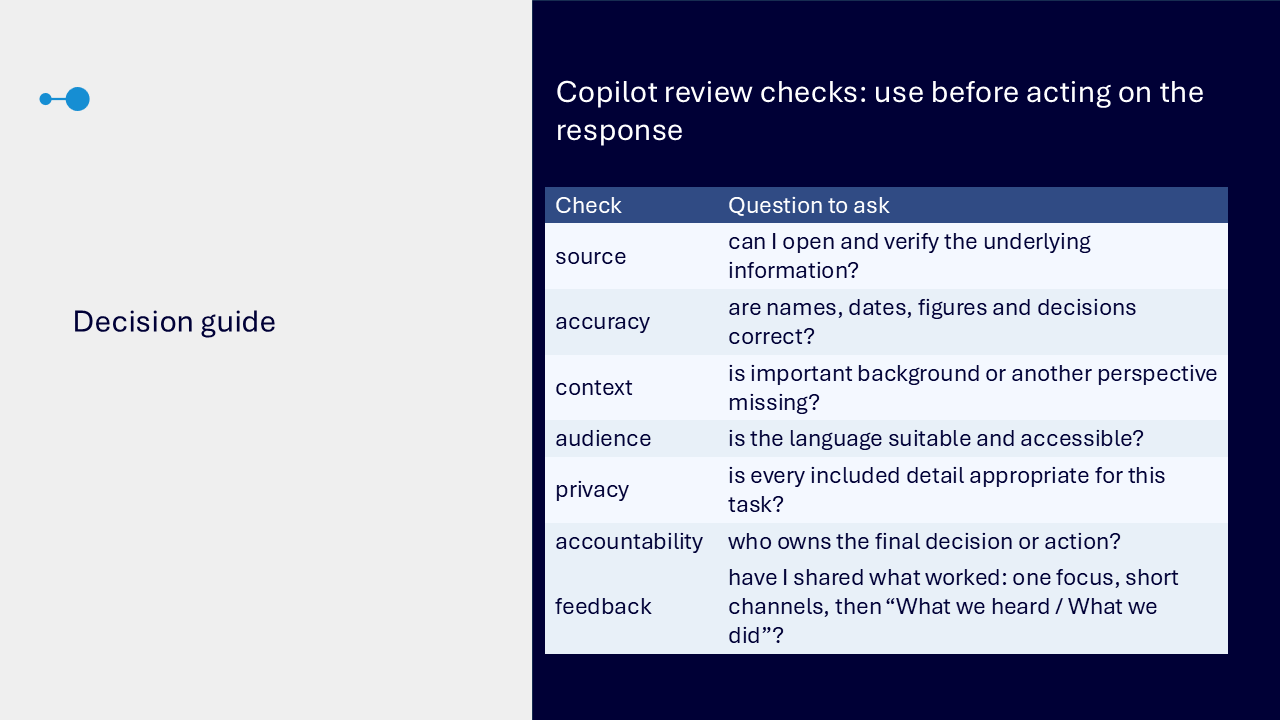
Use a review checklist before acting
- source: can you open and verify the underlying information
- accuracy: are names, dates, figures and decisions correct
- context: is important background or another perspective missing
- audience: is the language suitable and accessible
- privacy: is every included detail appropriate for the task
- accountability: who owns the final decision or action
What the visuals and demonstrations showed
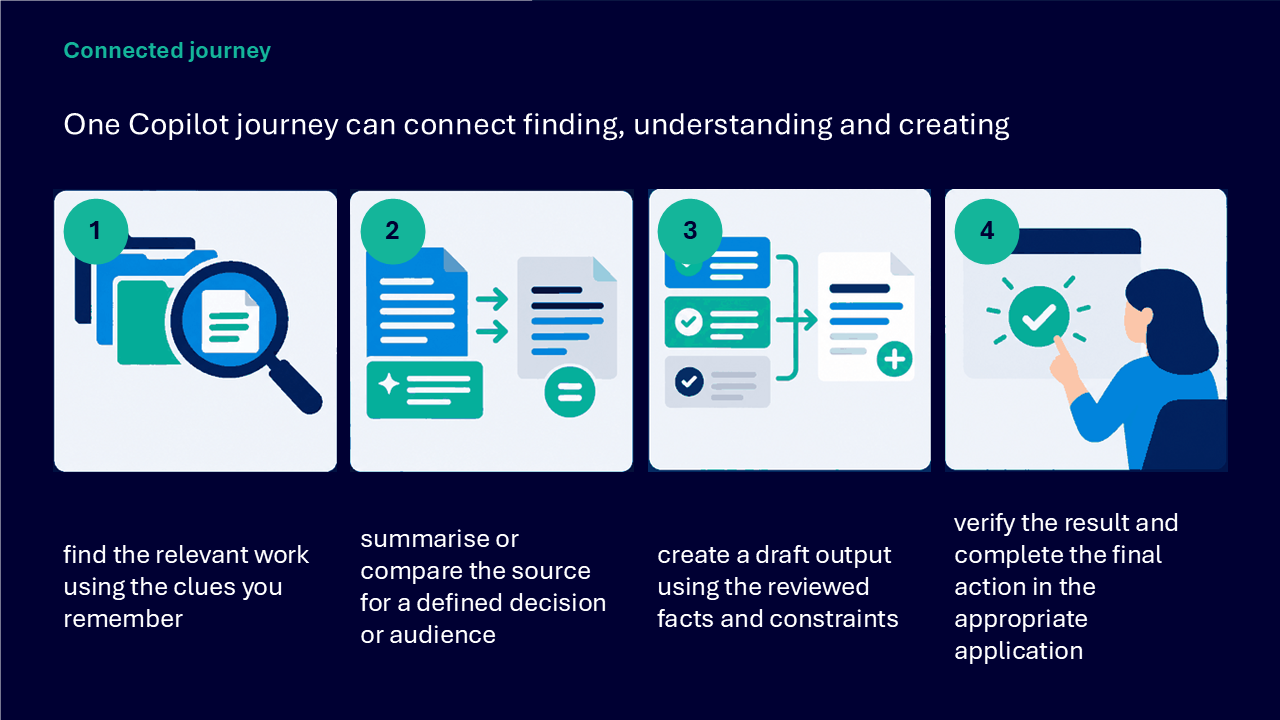
The visual sequence followed one Copilot journey from selecting the task through finding, understanding, creating, checking and acting.
- choosing between Copilot Chat and in-app Copilot
- building a prompt with a goal, context, source and format
- summarising one trusted source for a named audience
- using follow-up prompts in the same conversation
- opening a reference to check an important claim
- creating a structured first draft from reviewed facts
- transforming supplied content while protecting meaning
- finding work from a topic, person, phrase, meeting or timeframe
- checking permissions and source boundaries
- reviewing accuracy, context, audience, privacy and accountability
- saving the reviewed result where the right people can reach it
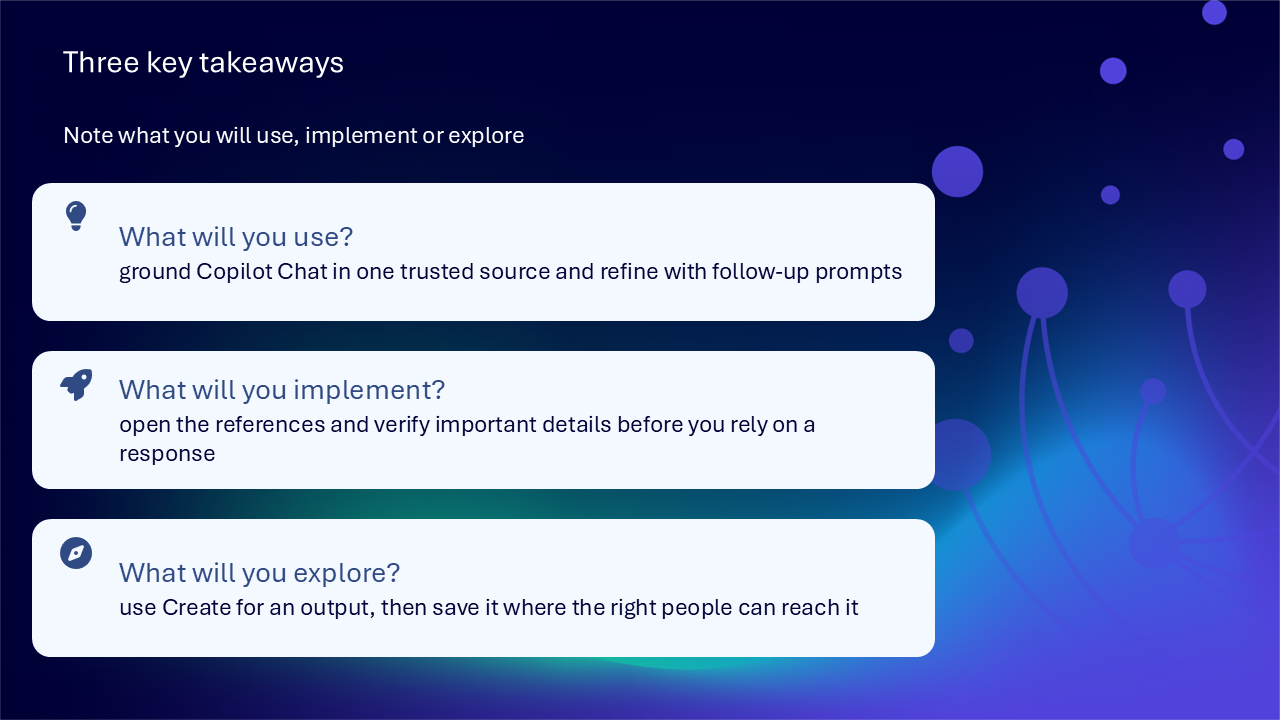
Key takeaways
- ground Copilot Chat in one trusted source
- name the audience, purpose and output format
- refine the same task with follow-up prompts
- open references and verify important details
- treat generated content as a reviewable first draft
- confirm that a search result is the intended source
- keep sensitive information outside unnecessary requests
- remain accountable for the final action
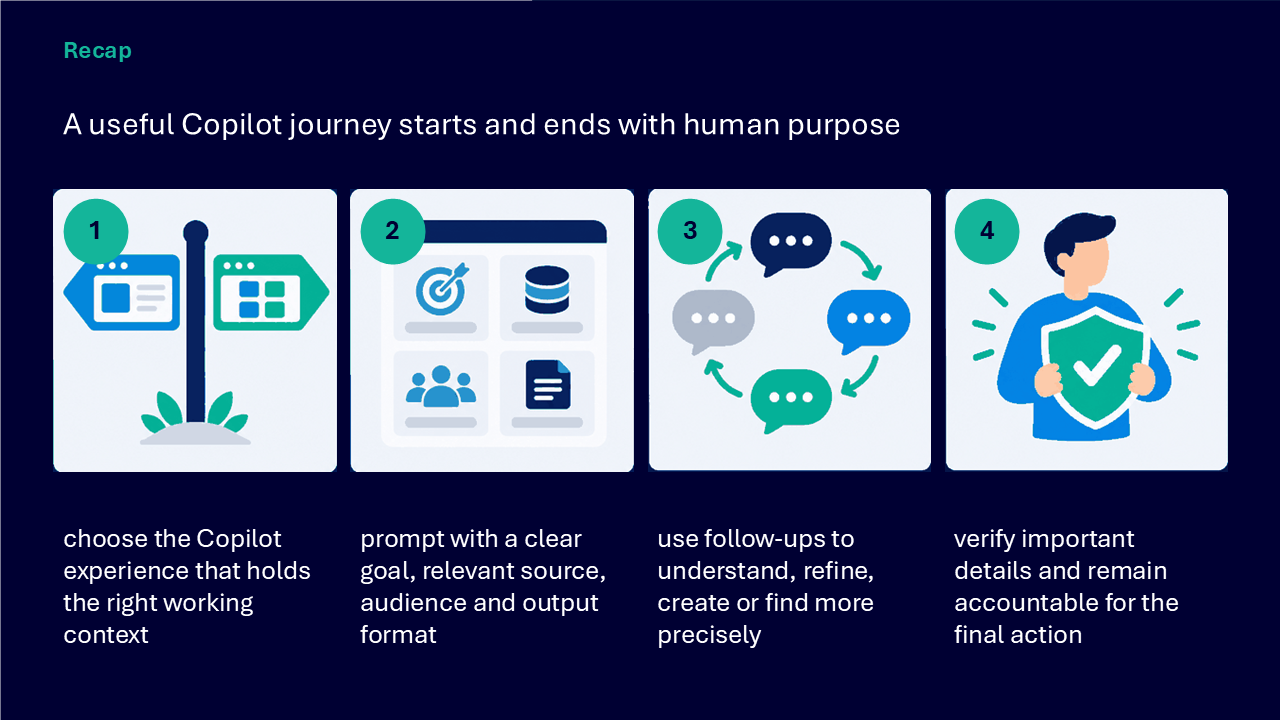
A useful Copilot journey
- define whether the need is to understand, create or find
- choose the experience that holds the relevant context
- prompt with a clear goal, source, audience and format
- use follow-up prompts to refine the task
- verify important claims against the source
- edit for accuracy, accessibility and tone
- complete the action in the appropriate application
Actions you can take
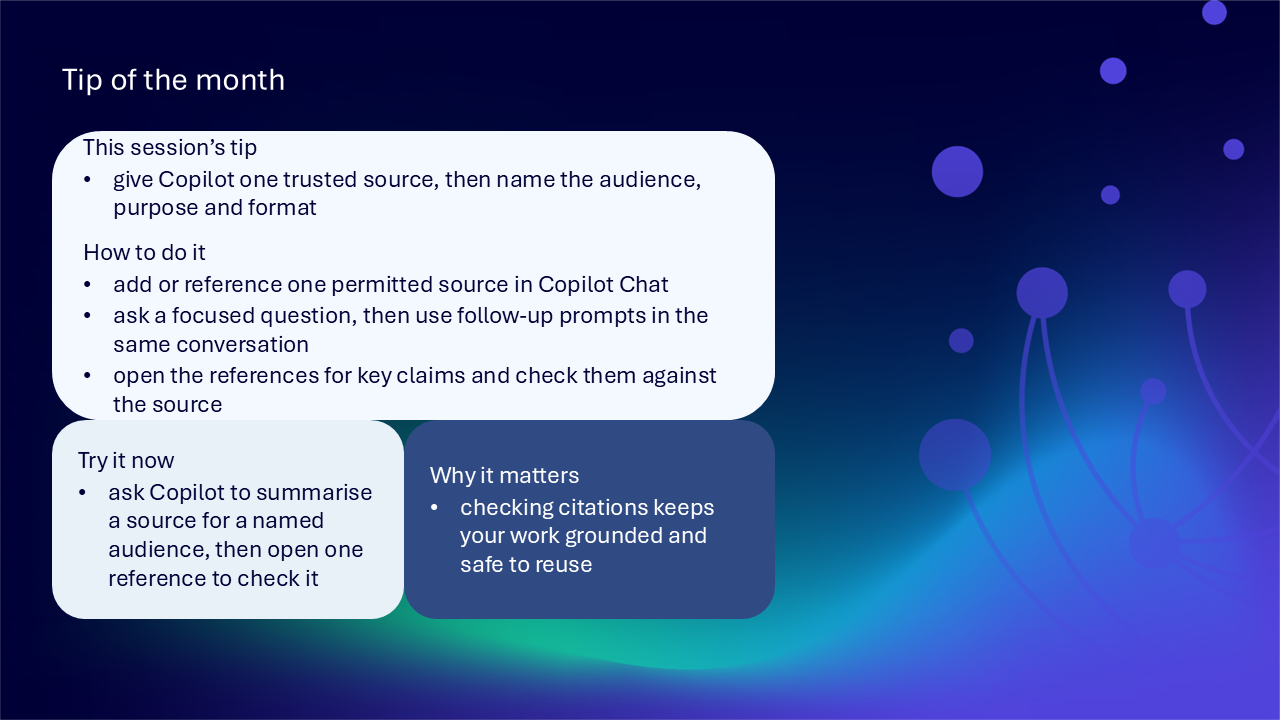
Try the tip of the month
This session’s tip: give Copilot one trusted source, then name the audience, purpose and format
How to do it: add or reference one permitted source in Copilot Chat, ask a focused question, refine it in the same conversation, then open the references for key claims
Why it matters: checking citations keeps the work grounded and safer to reuse
Try it now: ask Copilot to summarise a source for a named audience, then open one reference to check it
Build confidence with one practical route
- choose one permitted document or item of work
- state whether you need to understand, create or find
- name the audience and purpose
- ask Copilot to use the selected source and produce a defined format
- use one follow-up prompt to improve clarity or structure
- open one source reference and check an important detail
- edit the result for accuracy, accessibility and tone
- save the reviewed output in the application where the work belongs
Questions and feedback
Questions are welcome. If something is unclear, ask for it to be explained another way or demonstrated again. Feedback helps WeChange.AI understand what matters to you.
Complete the Support and Skilling Week feedback form
Contact WeChange.AI
For skilling queries, email training@wechange.ai.
Andrew Boxall, Managing Director: andrew@wechange.ai
Paul Ford, Industry Director for Education and Philanthropies: paul@wechange.ai
Josh Wilson, Industry Specialist: josh@wechange.ai
Elle Avilla, Customer Success and Delivery Skilling Lead: elle@wechange.ai
Izzy Pochin, Resources and Accessibility Lead: izzy@wechange.ai
Activity sheet
Follow one connected journey from choosing the right Copilot experience through to finding a trusted source, understanding it, drafting an output and verifying the result before action.
How to use this activity sheet
This sheet supports Session 17: Microsoft Copilot. Use it after the live session, or follow selected steps while your trainer demonstrates one source-grounded Copilot journey.
- work at your own pace and pause after each activity
- use one permitted, non-sensitive practice source
- keep unnecessary or sensitive information outside prompts
- open references and verify important details before reuse
- treat every generated result as a draft requiring human judgement
What you will achieve
- identify whether the immediate need is to understand, create or find
- choose between Copilot Chat and in-app Copilot by working context
- build a prompt using goal, context, source and expected format
- summarise, extract and compare information without hiding important differences
- use follow-up prompts to refine the same task
- create a first draft with supplied facts and constraints
- transform existing content while protecting names, commitments and meaning
- find work using remembered people, topics, phrases, meetings or timeframes
- check source boundaries, permissions and citations
- verify names, dates, figures, decisions and commitments
- apply privacy, fairness and accountability checks
- save or send the reviewed result through the application where the work belongs
Your learning route
| Stage | You will practise |
|---|---|
| 1. Choose the job | understand, create or find |
| 2. Choose the experience | Copilot Chat, Create, or Search |
| 3. Prompt with context | goal, context, expectation and source |
| 4. Understand and refine | summary, extraction, comparison and follow-ups |
| 5. Create and transform | first drafts and faithful revisions |
| 6. Find work | retrieval clues and result checking |
| 7. Verify and act | sources, accuracy, privacy and ownership |
Before you start
- sign in to the Copilot experience provided by your organisation
- choose one permitted document, message or meeting-related source
- identify the audience or decision the practice output should support
- choose a safe place where the final reviewed work would belong
- avoid personal, confidential or sensitive information
- allow about 45 to 60 minutes, or complete one activity at a time
Notice: Copilot Chat is included as standard within your licenses. Organisations may have configured your access differently, complete only the activities available in your environment.
Activity 1: Start with the job Copilot should support
Outcome: Define a small, reviewable task before choosing the experience or writing the prompt.
- Choose whether the need is to understand, create or find.
- Name the audience, decision or action the response should support.
- Choose the smallest useful output.
- Identify information that is necessary.
- Keep sensitive or unnecessary detail outside the request.
| Planning question | Your answer |
|---|---|
| Do I need to understand, create or find? | |
| Who will use the response? | |
| What decision or action will it support? | |
| What is the smallest useful output? | |
| What must remain outside the prompt? |
Pause and check
Activity 2: Choose Copilot Chat, Create, or Search
Outcome: Work where the relevant context and intended action already live.
| Experience | Useful when | Your decision | |
|---|---|---|---|
| Copilot Chat | the task needs a broader conversation or permitted work context | ||
| Copilot Create | you want to create new content such as an image, presentation or other draft | ||
| Copilot Search | you need to find relevant work using people, topics, phrases or timeframes |
- Identify where the source currently lives.
- Identify where the finished action should happen.
- Choose the Copilot experience available in that context.
- Record any organisational setting or access limitation.
The experience I chose: ____________________________________________________________________
My reason: ____________________________________________________________________
Pause and check
Activity 3: Build a prompt with goal, context, source and format
Outcome: Give Copilot enough direction to produce a useful, reviewable response.
- Start with an action such as summarise, compare, draft or find.
- Add the audience and purpose.
- Add any constraints that shape a useful answer.
- Identify the permitted source material.
- Specify the format, length or sections needed.
- Read the complete prompt and remove unnecessary detail.
| Prompt element | Your wording |
|---|---|
| goal or action | |
| context and audience | |
| source or evidence boundary | |
| format and length | |
| important constraint |
Pause and check
Activity 4: Understand one trusted source
Outcome: Use Copilot to summarise or extract information before deciding what it means.
- Add or reference one permitted source.
- Ask for a concise summary matched to the audience or decision.
- Ask for actions, decisions, risks or unanswered questions only when present.
- Open one reference behind an important claim.
- Compare the response with the underlying source.
| Understanding check | Your finding |
|---|---|
| source used | |
| summary purpose | |
| action, decision, risk or question found | |
| reference opened | |
| difference between response and source |
Pause and check
Activity 5: Compare information without losing differences
Outcome: Identify themes or viewpoints while preserving material disagreement and missing context.
- Choose two permitted sources or two relevant sections.
- Ask Copilot to compare them for a named purpose.
- Request shared themes.
- Request important differences.
- Ask what the selected sources do not establish.
- Open references for one shared point and one difference.
| Comparison area | Your note |
|---|---|
| shared theme | |
| important difference | |
| missing evidence or context | |
| verified source reference |
Pause and check
Activity 6: Refine with follow-up prompts
Outcome: Improve the same response without restarting or widening the task unintentionally.
- Ask Copilot to explain one unclear point another way.
- Challenge one assumption or request evidence behind a statement.
- Adjust tone, length or structure for the audience.
- Keep the follow-up connected to the original goal and source.
- Compare the revised response with the earlier version.
The follow-up prompt: ____________________________________________________________________
What changed: ____________________________________________________________________
What remained grounded: ____________________________________________________________________
Pause and check
Activity 7: Create a first draft, not a finished decision
Outcome: Produce a structured starting point using supplied facts and constraints.
- Describe the output, audience and purpose.
- Provide the relevant facts and constraints.
- Request an outline, headings or table when this will support review.
- Generate the first draft.
- Identify wording that needs your judgement or organisational context.
- Rewrite the draft so it reflects the intended voice and responsibility.
| Draft review | Your note |
|---|---|
| output and audience | |
| facts supplied | |
| constraints supplied | |
| structure requested | |
| human judgement added | |
| voice or context corrected |
Pause and check
Activity 8: Transform content while protecting meaning
Outcome: Make supplied content clearer or shorter without changing names, commitments or technical meaning.
- Choose a short piece of safe existing content.
- Ask for a clearer, shorter or differently structured version.
- State which names, commitments or technical details must not change.
- Compare the revision line by line with the source.
- Correct any changed meaning.
- Keep the original until the revision is approved.
| Transformation check | Your finding |
|---|---|
| requested change | |
| details protected | |
| meaning changed unintentionally | |
| correction made | |
| approval or save route |
Pause and check
Activity 9: Find work using what you remember
Outcome: Retrieve a likely file, email or meeting using people, topics, phrases or time clues.
- Write one clue you remember.
- Describe the work itself if the exact filename or location is unknown.
- Include a person, topic, phrase, meeting or timeframe only when relevant.
- Narrow the request if several similar results appear.
- Open the returned item.
- Confirm its title, content and relevance before acting.
| Retrieval check | Your note |
|---|---|
| clue remembered | |
| description of the work | |
| narrowing detail | |
| result opened | |
| identity and relevance confirmed |
Pause and check
Activity 10: Check grounding and permissions
Outcome: Understand the evidence boundary behind a work-grounded response.
- Identify the signed-in account and authorised environment.
- Check which source was used.
- Open available citations or source links.
- Notice whether unrelated content has been mixed into the response.
- Add missing permitted context or acknowledge the gap.
- Do not attempt to use information you are not permitted to access.
| Grounding check | Your finding |
|---|---|
| signed-in context | |
| source boundary | |
| citation or link opened | |
| unrelated information found | |
| missing context | |
| permission consideration |
Pause and check
Activity 11: Verify important details
Outcome: Check details that could affect people, services or decisions before relying on the response.
- Check names.
- Check dates.
- Check figures.
- Check decisions and commitments.
- Look for unsupported certainty.
- Look for a changed meaning.
- Return to the source for any material detail.
| Detail | Source check | Action |
|---|---|---|
| name | ||
| date | ||
| figure | ||
| decision or commitment | ||
| missing context | ||
| changed meaning |
Pause and check
Activity 12: Apply responsible-use checks
Outcome: Review privacy, fairness and accountability before turning the response into action.
- Remove information unnecessary for the task.
- Confirm that the environment is authorised.
- Avoid asking Copilot to judge a person’s performance or sensitive qualities.
- Consider whose perspective or evidence may be missing.
- Check that the language is suitable and accessible.
- Name the human owner of the final decision, communication or action.
| Responsible-use check | Your answer |
|---|---|
| privacy and necessity | |
| authorised environment | |
| fairness or missing perspective | |
| accessible audience language | |
| human accountable owner |
Pause and check
Activity 13: Move from response to action
Outcome: Use only the reviewed part of the response and complete the work in the appropriate application.
- Choose the part that genuinely supports the task.
- Edit for accuracy, audience, accessibility and tone.
- Decide whether to save, send or continue editing.
- Use the application where the work belongs.
- Record the decision or next action if future colleagues will need the context.
- Keep a route back to the source.
| Action decision | Your plan |
|---|---|
| reviewed content used | |
| application where work belongs | |
| save or send route | |
| decision or next action recorded | |
| source return route |
Pause and check
Put it into practice: find, understand, create and act
Scenario: You remember a document about a service change but not its filename. You need to brief a non-specialist audience and identify one confirmed next action.
- describe the document using a topic, person, phrase or timeframe you genuinely remember
- open the returned item and confirm it is the intended source
- ask for a concise summary for the named audience
- extract only actions or decisions present in the source
- open references for important claims
- use follow-up prompts to clarify one point and shorten the response
- draft a briefing using verified facts and constraints
- check names, dates, figures, context, privacy and accessibility
- record the human owner and confirmed next action
- save the reviewed briefing where the audience can reach it
The retrieval clues: ____________________________________________________________________
The trusted source: ____________________________________________________________________
The audience and prompt: ____________________________________________________________________
The verified briefing: ____________________________________________________________________
The owner, next action and save route: ____________________________________________________________________
Quick reference: choose the Copilot route
| If you need to… | Try… |
|---|---|
| understand a source | summarise, extract or compare |
| improve the same response | a focused follow-up prompt |
| create a first draft | describe the output, audience, facts and constraints |
| restructure supplied content | a faithful transformation with protected details |
| find work | describe what you remember and confirm the result |
| keep a response grounded | name the permitted source and open references |
| check material detail | verify names, dates, figures, decisions and commitments |
| review responsible use | check privacy, missing perspectives and accountability |
| complete the work | edit and save or send through the appropriate application |
Your three takeaways
My most useful learning: ____________________________________________________________________
What I will implement: ____________________________________________________________________
What I will explore further: ____________________________________________________________________
If you need help
- describe whether you were using Copilot Chat or in-app Copilot
- name the task as understand, create or find
- identify the source or retrieval clue used
- note the exact wording of any unexpected result
- ask your local support route about Copilot access, permissions or unavailable features
- avoid sharing personal, confidential or sensitive information in screenshots or prompts
Confidence grows through a deliberate Copilot journey: start with human purpose, ground the task in permitted context, verify important details and remain accountable for the final action.
Reflective journal
Why we ask you to reflect
Continuing Professional Development (CPD) is formative and it is about what it achieves for you and your organisation.
Instead of formally assessing your learning, we ask you to write a reflective note. This should reflect on how the learning was relevant and how it will impact your working practices.
Taking time to reflect on your learning makes it more likely you will embed it in your future practice.
What to cover and when
What your reflection should cover
- how the learning was relevant to you
- how the learning will impact your practice
When to complete it
Reflect as soon as possible following the skilling session. This keeps your note contemporaneous (written close to the time) and meaningful. Fill it in on your device, so the boxes expand as you type.
| Topic | What to know |
|---|---|
| Timing | Complete the note as soon as possible after the training event. |
| Purpose | To embed the learning within your subsequent practice. |
| Focus | How the learning was relevant and how it will impact your practice. |
Your reflective note
Complete each row below. Write in your own words. Your notes are private to you unless you choose to share them.
| Prompt | Your response |
|---|---|
| Skilling session title | |
| Date of the skilling session | |
| Date you completed this note | |
| How was the learning relevant to you and your work? | |
| How will the learning impact your practice? |
Recommended resources
These curated resources accompany the WeChange.AI skilling offer of Continuing Professional Development (CPD) accredited, and non-accredited, sessions. Use them before a session to build familiarity, or afterwards to revisit and apply the learning in day-to-day work.
Alongside these resources, Navigator helps WeChange.AI customers find personalised recommendations and available learning on Microsoft 365 tools, accessibility and AI relevant to their role. Returning to Navigator after a session can help you connect new knowledge with practical workplace needs, choose a useful next step and keep learning visible as confidence grows.
A central hub of Copilot learning and resources. Helpful for choosing a next step that matches how you like to learn.
A short beginner module covering where to access Copilot Chat and how to find your way around the interface. It supports you in practising at your own pace.
An introduction to opening Copilot Chat and asking your first questions. A gentle starting point before you try more detailed requests.
Explains how to write good prompts for your Copilot services. Clear requests make it easier to check and refine what comes back.
Gives practical ideas for asking Copilot Chat for quick answers. Remember to check important details before relying on a response.
Explains how to start using Search in the Copilot app. It supports finding existing files and information rather than starting from scratch.
Explains how to open Create, enter a description or choose a template, and what you can create with your account. Availability varies by account type and settings, so check what you can see.