
If you have used Copilot Chat, you already understand the core idea: you ask a question, and Copilot helps.
A Copilot Agent is simply a more focused version of that help.
An agent is a specialist Copilot you can call on for a particular job, especially jobs you do repeatedly. Instead of starting from scratch each time, you use an agent that is set up for a purpose, such as helping you write better prompts, improve an idea, or consistently answer a certain type of question.

Think of it like this:
- Copilot Chat is your general helper for lots of everyday tasks.
- Agents are the helpful “specialists” you can pull in when you want a more structured approach, or when you want to repeat the same kind of task with more consistent results.
The best part: for most people, agents are not “advanced AI”. They’re simply a way to make Copilot more useful for common, repeatable work.
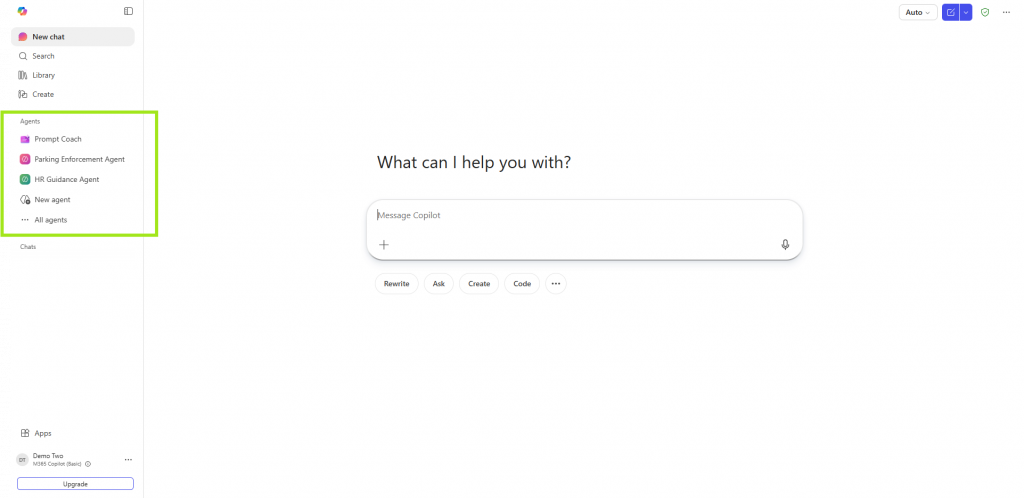
You’ll see Agents on the left hand-side of Copilot, click “All Agents” to view the different Agents you have access to. You can search for the Agents below and everyone should have access to these.
Agents you can use right now
Most people get value from agents that make prompting easier and more reliable, especially when you are new to Copilot.
1) Prompt Coach: helps you write better prompts
Prompt Coach is an agent designed to improve what you type into Copilot, so the answers you get back are clearer and more useful. It guides you to add the bits that Copilot needs, like what you are trying to achieve, the context, and what “good” looks like.
In our own skilling sessions, we explain this as a simple structure (often called GCSE):
Goal, Context, Sources, Expectations.
Microsoft guidance on writing prompts available here.
If you have ever thought “Copilot is close, but not quite”, Prompt Coach is usually the quickest fix.
Easy way to use it
- Open Copilot Chat and go to Agents, then search for “Prompt Coach”.
- Paste your rough prompt and ask: “Improve this prompt.”
- Or start with: “Help me write a prompt to…” and describe what you need.
Microsoft also provides a reference template describing Prompt Coach as an agent that guides users through prompt generation and improvement.
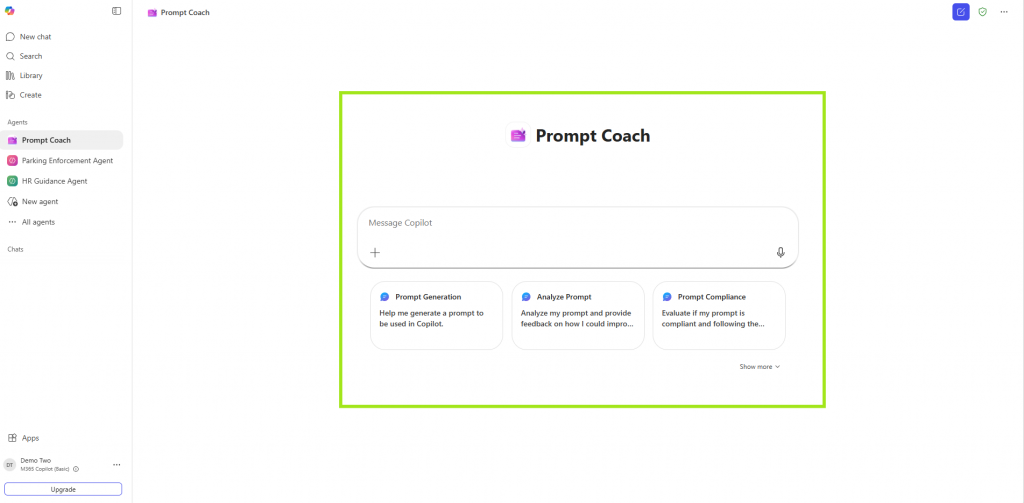
Prompt Coach Agent will help you write better prompts for Copilot.
2) Ideas Coach: helps you think, shape, and strengthen an idea
Ideas Coach is the “thinking partner” agent. It is designed for brainstorming and refining ideas, helping you generate options, organise thoughts, and improve a draft or concept before you share it with others.
This is ideal when:
- you have a rough idea but do not know how to structure it
- you want alternative options
- you want to stress-test an idea (pros, cons, risks, gaps)
- you want help turning thoughts into a clear plan or message
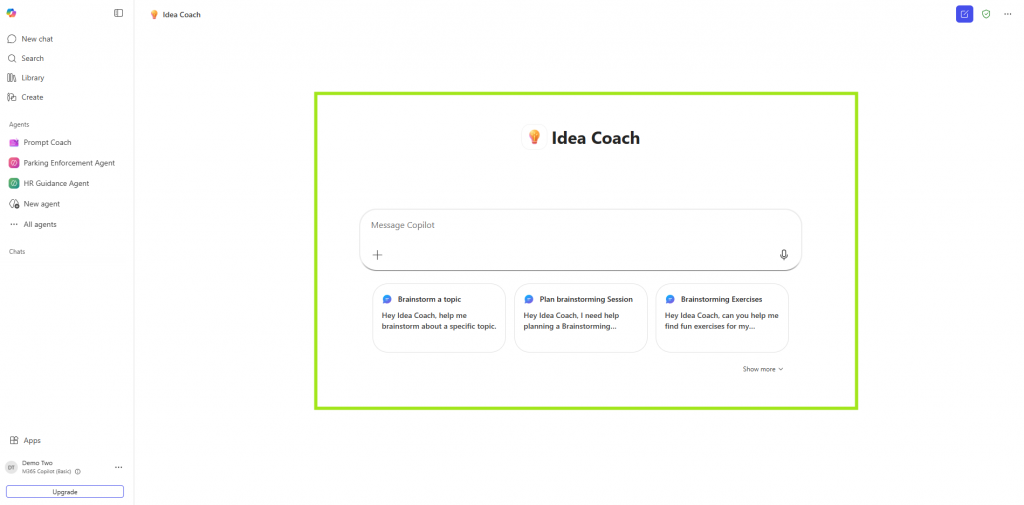
Ideas Coach Agent in Copilot – helping you work through an idea you might have had and want to develop.
Why agents sometimes feel easier than “prompting”
Many people worry they need to be “good at AI” to get value.
Agents reduce that pressure because:
- they guide you with questions and structure (so you do not have to know the perfect wording)
- they help you reuse good patterns instead of reinventing the wheel
- they are designed for common scenarios like “help me write a better prompt” or “help me refine this idea”
Creating your own agent (using the licence you already have)
This is the part most people do not realise: you can create web-grounded agent without being technical.
Microsoft describes this as using Agent Builder in Copilot, where you describe what you want the agent to do in plain language, and it creates it for you.
What a “web-grounded agent” means (in plain English)
A web-grounded agent is an agent that is set up to use specific websites as its reference points. That makes it incredibly powerful for repeatable tasks, because it can keep going back to the same official sources, instead of guessing.
Examples of everyday web-grounded agents:
- “Explain new policy updates using only ACAS and GOV.UK, and summarise them in plain English.”
- “Create a weekly briefing using only these three trusted websites.”
- “Answer common questions using only our organisation’s public website pages.”
(These are examples of what people build, the point is the same: pick trusted sources, keep the answers consistent.)
How you build one (simple steps)
Microsoft’s own “Build your own agent” guidance is intentionally simple: open the Copilot app, choose New Agent, describe what you want it to do, and follow the prompts. You can also start from templates.
Microsoft also has a short lab that specifically walks through creating a web-based AI assistant grounded in official documentation, using your instructions, websites, and prompts.
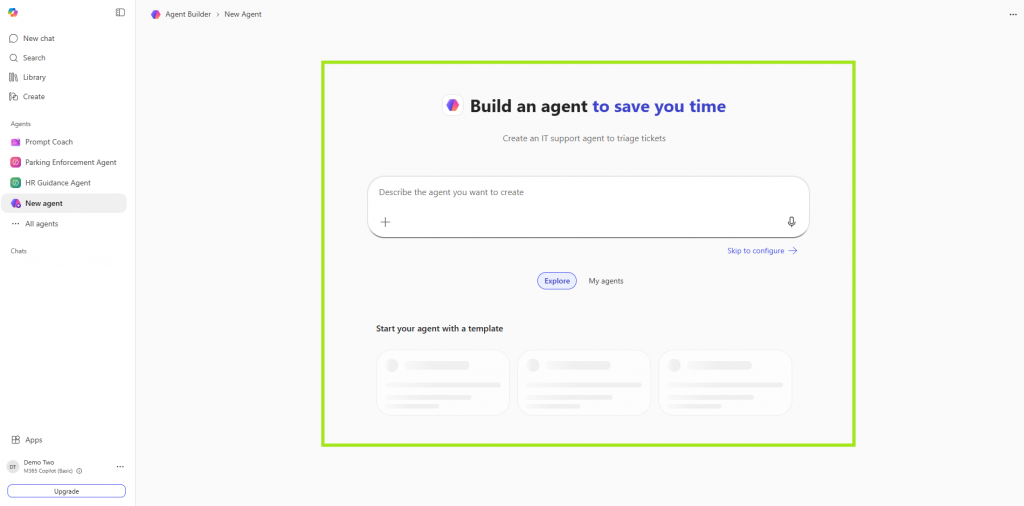
Agent builder – please note, some organisations have turned this off and that might be the right approach for your organisation and the data you work with. For the purposes of this page, we’re explaining what’s included in your license from Microsoft.
A reassuring note (for beginners)
If you are new to this, start small:
- Use Prompt Coach to improve one prompt you already use.
- Use Ideas Coach when you are stuck, or when you need to structure a messy idea.
- Once you have one repeatable task (weekly update, common question, standard briefing), consider creating a simple agent that does it consistently.
That is it. No “AI expertise” required.

If you’re a WeChange.AI customer, you have access to our skilling weeks – including a dedicated session on Agents. You can find the upcoming links to our AI skilling sessions in the Training and Skills tab on the Navigator web app.