At WeChange.AI, we assess a range of ways people spend their time at work, then suggest practical ways to reduce time spent on certain activities. Our assessment includes common tasks like printing or photocopying documents, because across many organisations it remains a surprisingly frequent source of avoidable effort, cost, and delay.
This page is designed for frontline staff and managers. The aim is not to criticise how things are done today, it is to help you spot what is possible, because many people do not realise how much technology they already have available to them.
Why this matters: it is rarely just “the print”
Printing tends to create a chain of extra work:
- Time to print, sort, carry, and store documents
- Time to chase signatures or approvals
- Time to scan paperwork back in
- Time to re-key information into a system (or fix errors when handwriting is unclear)
- Direct costs, paper, toner, maintenance, and sometimes outsourced printing
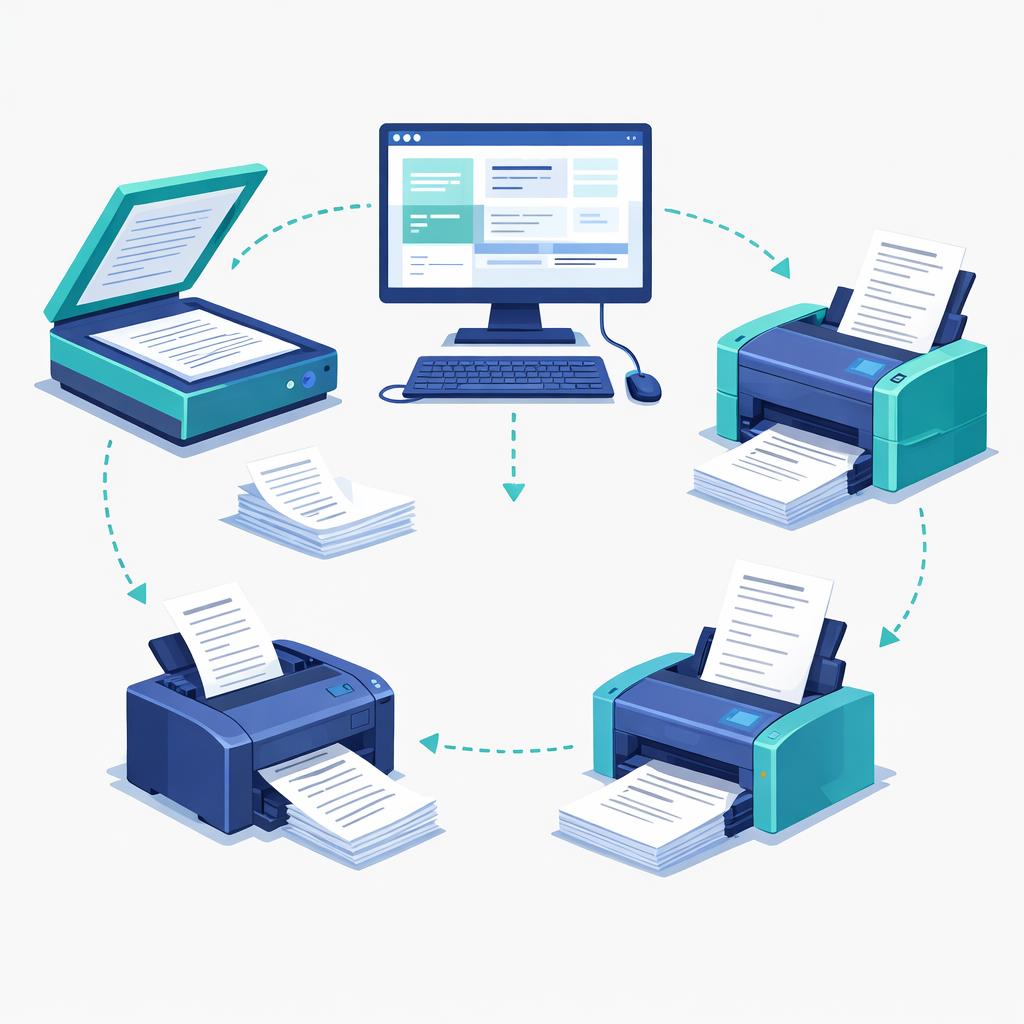
In other words, printing is often a sign that a process can be simplified end-to-end, not just a single step to optimise.
Start with the key question: do you need to print at all?
Before improving anything, it helps to identify why the print happens. In our experience, it usually falls into one of these reasons:
1) “I need a record”
Often this is really a need for a version-controlled document stored in the right place, with an audit trail. In many cases, storing and managing the document digitally (with permissions, version history, and naming conventions) meets the need better than printing. The aim is clarity and control, not paper.
2) “I need a signature or approval”
If you are printing purely to prove something was approved, you can often handle this digitally using the Approvals app in Microsoft Teams, including keeping a clear approval record.
Resource: What is the Approvals app and how can you use it – Microsoft guidance
3) “I need to share it with someone”
Printing is often used because collaboration feels hard. A better option is usually to share the document digitally and collaborate using comments and tracked changes, rather than emailing versions around or printing for review.
Resource: Guidance on collaboration in Microsoft 365 products (Word, Excel etc)
4) “Someone needs to fill this in”
This is one of the biggest opportunities. If you print a form, someone completes it by hand, it is scanned back in, and then someone re-keys the data, the process is doing unnecessary work twice. There are usually very straightforward ways to capture the information digitally, directly into a usable format. Consider Microsoft Forms, Lists and a Power App to name just a few.
The easiest wins: replace paper forms with digital capture
If the document exists mainly so someone can complete it, you have several options, depending on what your IT team allows and how complex the process is.
Option A: Use Microsoft Forms to collect information
This is often the fastest way to stop printing. You can collect responses digitally and manage them through the associated spreadsheet-style responses, or move the data into a more structured place later.
Resource: Guidance to creating a digital form
Option B: Use a Microsoft List and capture information into a data repository
Lists give you a structured place for information, with a form-like experience for adding items, plus views and filters for managing the service. This reduces re-keying and makes the information usable straight away. (Your IT team may help you set the right permissions and structure.)
Practical tip: if you are currently using a shared spreadsheet, a List is often a more robust next step because it is designed for shared data entry and tracking.
Option C: Use a Word template, only as a stepping stone
If you cannot change the process fully yet, a fillable Word template can reduce handwriting and make scanning and extraction easier. It is not as good as a proper form, but it can remove some friction quickly.
Resource: Create a form in Word that users can complete or print – Microsoft Support
Option D: Build a Power App (with IT support)
If you have a more complex process, or a need for a tailored user experience, a Power App can capture information cleanly and route it into your systems. This normally needs IT involvement for design, security, and integration.
If you are scanning documents, ask why, then remove steps
Sometimes scanning is essential, but very often it is being used as a workaround to convert paper into something usable.
If you are scanning to store information
You may be able to “print” to OneNote instead of printing to paper, which keeps content digital from the start.
Resource: Print documents and files to OneNote – Microsoft Support
If you are scanning to capture text from paper
Optical Character Recognition (OCR) can extract text from images and printouts, so you are not re-typing what already exists.
Resource: Copy text from pictures and file printouts using OCR in OneNote
If you are scanning because “someone needs to send a photo”
If the goal is simply to capture a document or whiteboard into a safe digital location, tools like OneDrive mobile scanning can reduce the friction and help avoid piles of paper.
Resource: Scan a whiteboard, document, business card, or photo in OneDrive for Android – Microsoft Support
Always remember AI can help!
In the age of AI, extracting information is much easier than people realise
A lot of printing persists because teams assume that once something is scanned, it becomes “locked away” as an image or a PDF. In reality, extracting information from scanned documents has been possible for a long time through OCR, and AI makes it even more useful because it can help you summarise and structure information after extraction.
For higher volumes of documents, or more formal document processing, organisations often consider dedicated services such as Microsoft Syntex, which is designed to support automated document classification and processing. This is definitely one for IT, but extracting information from documents should not be something you undertake manually in this day and age (unless it’s incredibly infrequent, even then you can use Copilot).
Resource: Document processing for Microsoft 365 – Microsoft Support
The practical point is simple: if your process is “print, scan, re-type”, there is almost always a better way.
Information Governance matters (especially when changing how records are stored)
Reducing printing usually means changing where information is stored, how it is shared, and how it is retained. That is exactly where Information Governance needs to be involved.
Speak to your Information Governance team when you are:
- changing where records are stored
- collecting information from people in a new way
- moving from handwritten forms to digital capture
- introducing new approval methods or audit trails
It helps you move faster with confidence and prevents rework later.
Work with your IT team, because the “why” matters as much as the tool
Your IT team can usually help quickly if you explain the underlying reason for printing, rather than starting with “we need a new tool”.
A good starting point is:
- What are we printing or scanning, and what problem is it solving?
- Is the print for record keeping, a signature, sharing, or data capture?
- Where does the information go next, and where is the duplication?
IT can help you choose the simplest safe option, whether that is Approvals, a Form, a List, or a more tailored app.
Change can be hard, and that is normal
Change can feel disruptive, especially when people are busy and processes are linked to risk, compliance, and service delivery. We recognise that, and it is why WeChange.AI supports organisations at scale to utilise technology more effectively in a practical, people-centred way.
Reducing printing and photocopying is often one of the easiest ways to save time and money while improving how information flows through a service, so staff spend less time on admin and more time on the work that matters.
Support available through WeChange.AI
This page is part of a wider set created to help WeChange.AI customers spot practical ways technology can support everyday tasks, often using tools they already have. We bring this to life through Navigator (in-context recommendations) alongside regular skilling, Microsoft resources, and clear, practical guidance for all roles. If you would like to commission WeChange.AI to support your organisation, please contact the WeChange.AI team.